

In today’s competitive digital landscape, compellingly presenting your website design portfolio is crucial. Whether you’re a freelance designer, a digital agency, or part of an in-house creative team, your portfolio is often the first impression potential clients have of your work. This article explores seven stunning techniques to display website design in your portfolio, ensuring that your work not only stands out but also converts visitors into loyal customers.
Introduction
Creating an effective website design portfolio is more than just assembling your best projects on a single page. It’s about weaving a narrative that highlights your skills, vision, and creativity. In this comprehensive guide, we’ll explore how to build an engaging portfolio that tells your story while also optimizing for search engines. With a keen focus on SEO strategies, responsive design, and interactive elements, this guide is tailored for professionals looking to achieve measurable results.
For designers and digital marketers alike, the challenge is to combine aesthetics with functionality. Today, clients seek portfolios that are not only visually appealing but also highly intuitive and accessible across devices. We’ll discuss actionable strategies and innovative techniques to create a portfolio that meets these expectations and leverages current trends to give you a competitive edge.
Understanding Website Design Portfolios
Website design portfolios are a visual resume of your professional journey. They encapsulate your design philosophy, showcase a range of projects, and provide evidence of your expertise. A well-organized portfolio allows prospective clients and employers to understand your approach, technical prowess, and creative flair.
Defining a Website Design Portfolio
A website design portfolio is a curated collection of your best work, ranging from corporate sites to personal projects. The essence of a powerful portfolio lies in its ability to communicate not just what you do, but how you solve problems and deliver exceptional results. Integrating descriptive case studies, client testimonials, and high-quality visuals further enhances your credibility.
Historical Perspective and Current Trends
In the early days of web design, portfolios were static and limited in scope. However, with advancements in technology, today’s portfolios are dynamic, interactive, and mobile-responsive. Modern portfolios incorporate animated transitions, interactive elements, and multimedia content, ensuring that visitors remain engaged. This evolution reflects the broader trends in digital design, where user experience (UX) and interactivity are paramount.
Natural Integration of LSI Keywords
Incorporating latent semantic indexing (LSI) keywords such as “portfolio design,” “creative showcase,” and “website design portfolio” enhances SEO, ensuring your portfolio is easily discoverable online. Strategically placing these keywords within content, image alt tags and meta descriptions helps search engines understand and rank your content effectively.
The Benefits of a High-Quality Portfolio
A high-quality website design portfolio goes beyond aesthetics; it serves as a multifaceted tool that can significantly impact your career. From boosting client trust to improving your online visibility, the benefits are far-reaching.
Enhancing Credibility and Professionalism
Your portfolio is a direct reflection of your brand. A well-organized, visually appealing portfolio immediately instills confidence in prospective clients. It demonstrates that you not only have the creative talent but also the professionalism required to manage and deliver high-quality projects.
Driving Client Engagement and Conversions
An effective portfolio is designed with conversion in mind. By showcasing your best work and offering clear calls-to-action (CTAs), you can guide visitors toward contacting you or learning more about your services. Detailed case studies and client testimonials add layers of social proof that can be critical in the decision-making process.
Measurable Impact on SEO
A strategic portfolio integrates SEO best practices such as keyword optimization, meta tags, and schema markup. These elements enhance your site’s visibility on search engines, driving organic traffic and expanding your reach. With an optimized portfolio, you position yourself not only as a creative professional but also as a savvy digital marketer who understands the importance of data-driven results.
Visual Storytelling and Branding
Each project in your portfolio is a story waiting to be told. A cohesive narrative that links projects together can highlight your evolution as a designer and emphasize your unique style. Effective visual storytelling creates an emotional connection with your audience, making your portfolio memorable and persuasive.

Essential Elements of an Effective Portfolio
Building an impressive portfolio requires attention to detail. Here are the fundamental components every website design portfolio should include.
Project Showcase
The heart of your portfolio is the project showcase. Select a variety of projects that not only highlight your best work but also demonstrate versatility across different design styles and industries. Each project should include detailed descriptions, challenges faced, solutions provided, and measurable outcomes.
Case Studies and Client Testimonials
Case studies provide an in-depth look at your process, detailing how you approach design challenges and deliver results. Pair these with client testimonials to add authenticity and credibility. Real-life examples of successful projects serve as powerful endorsements of your capabilities.
Multimedia Integration
High-resolution images, video walkthroughs, and interactive elements are essential. These visuals not only capture attention but also provide a richer, more engaging experience. Ensure that each multimedia element is optimized for both performance and SEO.
Layout and Navigation
A clean, intuitive layout is crucial. Your portfolio should feature clear navigation, making it easy for visitors to find what they’re looking for. Consider incorporating filter options by project type or industry to help users explore your work effortlessly.
Call-to-Action (CTA)
Incorporate strong CTAs throughout your portfolio. Whether it’s prompting visitors to contact you, view a project in detail, or subscribe to your newsletter, CTAs guide users through your site and convert passive viewers into active leads.
Planning Your Portfolio Layout
The planning phase is critical for creating a user-friendly and visually compelling portfolio. Here, we outline key strategies and design principles to consider during the planning stage.
Wireframing and Prototyping
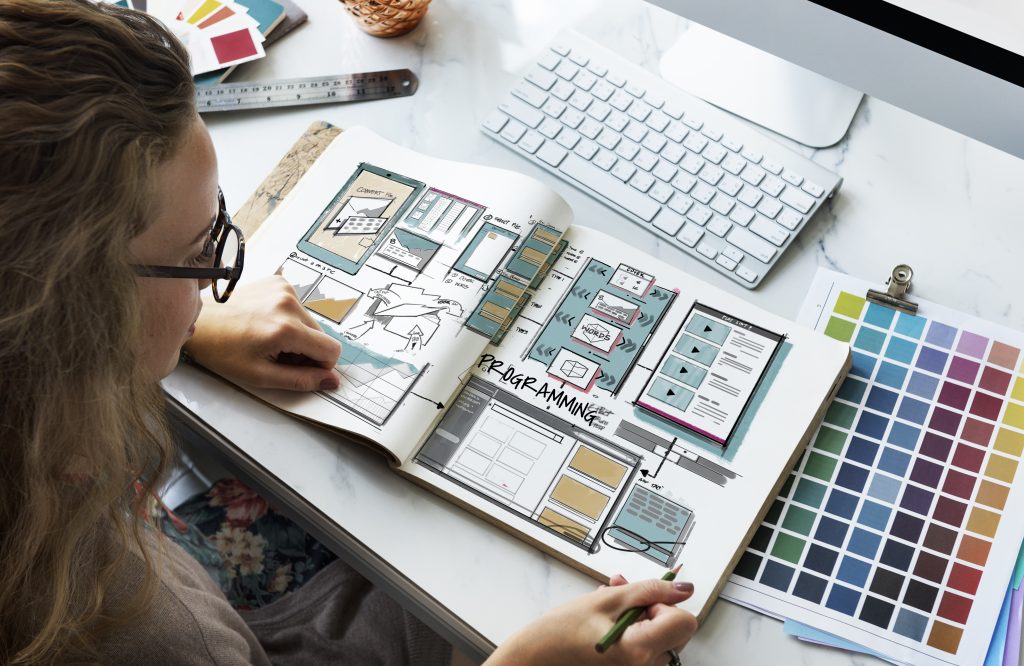
Before diving into design, create wireframes to map out the layout and flow of your portfolio. Tools like Sketch or Adobe XD can be invaluable in this phase. Wireframes help visualize the placement of key elements, ensuring a balanced and organized structure.
Mobile-First Design
With an increasing number of users accessing portfolios via mobile devices, a mobile-first approach is essential. This strategy ensures that your design is responsive and accessible on all devices, providing a seamless experience regardless of screen size.
Balancing Aesthetics and Functionality
While aesthetics are important, functionality should never be compromised. Aim for a harmonious balance where visual appeal complements ease of navigation and performance. Consider the use of white space, typography, and color schemes that align with your brand identity.
Organizational Strategies
Structure your content logically by grouping similar projects and categorizing work by industry or design style. A well-organized portfolio not only enhances usability but also improves SEO by creating a logical flow of content that search engines can easily crawl.
Performance Optimization
A visually stunning portfolio is meaningless if it suffers from slow load times. Optimize images, leverage caching, and use a Content Delivery Network (CDN) to ensure fast performance. This not only improves user experience but also positively impacts your search engine ranking.
Showcasing Your Best Projects
Highlighting your best work is essential to captivate your audience and demonstrate your expertise. In this section, we discuss criteria and techniques for selecting and presenting your standout projects.
Selecting the Right Projects
Not every project deserves a spot in your portfolio. Focus on those that showcase your strengths, creativity, and versatility. Consider projects that involved innovative problem-solving or had a significant impact on client outcomes.
Crafting Detailed Project Narratives
For each project, develop a detailed narrative that outlines the problem, your creative process, the solution, and the results achieved. Use visuals, diagrams, and before-and-after comparisons to enhance your storytelling. This detailed approach not only educates potential clients about your methodology but also reinforces your expertise.
Client-Centric Approach
Tailor your project descriptions to address the needs and challenges of potential clients. Highlight how your solutions directly benefited them—whether through increased user engagement, higher conversion rates, or improved usability. This approach positions you as a problem-solver who understands client needs.
Data-Driven Results
Whenever possible, back up your narrative with data. Use statistics, analytics, and client feedback to demonstrate the impact of your designs. Quantifiable results serve as compelling evidence of your skills and can significantly influence a potential client’s decision.
Visual Enhancements
Integrate high-quality images, sketches, and interactive elements to enrich your project narratives. Visual content not only breaks up text but also provides a more immersive experience, making your portfolio memorable and engaging.
Incorporating Visuals and Multimedia
Visuals are the cornerstone of an effective website design portfolio. This section outlines the best practices for integrating multimedia elements to enhance engagement and user experience.
High-Resolution Imagery
Invest in high-resolution images that accurately reflect the quality of your work. Every screenshot, mockup, or photo should be optimized for both clarity and load speed. High-quality visuals can significantly elevate the overall perception of your portfolio.
Video Walkthroughs
Videos provide an interactive way to showcase your design process and final results. Consider creating video case studies or walkthroughs that explain your approach and highlight key project milestones. Videos are especially effective in conveying complex design processes in an easily digestible format.
Interactive Galleries
Interactive galleries allow visitors to explore your work at their own pace. Implement features such as lightboxes, hover effects, and clickable thumbnails to create a dynamic viewing experience. Interactive elements can also keep visitors engaged for longer periods, reducing bounce rates.
Balancing Multimedia and SEO
While visuals and videos are crucial, it’s important to optimize them for SEO. Use descriptive file names, alt text, and captions that incorporate relevant keywords. This ensures that your multimedia content contributes positively to your overall search engine ranking.
Accessibility Considerations
Ensure that all multimedia elements are accessible. Provide captions for videos, descriptive alt text for images, and maintain a balance between visual and text-based content. This not only broadens your audience but also complies with web accessibility standards.
Leveraging Interactive Elements
Interactive design elements add a modern, engaging twist to your portfolio. They transform a static collection of work into an immersive experience that keeps visitors engaged.
Enhancing User Experience
Interactive elements such as animations, hover effects, and dynamic scrolling can elevate user experience. When implemented correctly, these features make your portfolio feel contemporary and engaging, encouraging visitors to explore further.
Interactive Sliders and Lightboxes
Consider using interactive sliders to showcase a series of images or projects. Lightboxes allow users to view larger versions of your images without leaving the page, providing an uninterrupted browsing experience that keeps them on your site longer.
Custom Animations
Subtle custom animations can bring life to your portfolio. Whether it’s a smooth fade-in effect as a user scrolls or animated icons that respond to clicks, these details add a layer of sophistication that sets your portfolio apart from the competition.
Integrating Data and Interactivity
For portfolios that focus on case studies and results, consider interactive data visualizations. Charts, graphs, and infographics can be animated to illustrate growth trends and project outcomes, making complex data more accessible and engaging.
SEO Strategies for Portfolio Visibility
Optimizing your portfolio for search engines is key to ensuring that your work reaches the right audience. This section covers actionable SEO strategies tailored for website design portfolios.
Keyword Optimization
Begin by identifying primary and LSI keywords such as “website design portfolio” and “creative website showcase.” Integrate these keywords into your meta tags, headings, and body text. Ensure that keywords appear naturally, particularly within the first 10% of your content and in at least one subheading.
Meta Tags and Descriptions
Craft compelling meta titles and descriptions that incorporate your target keywords immediately after the title. These meta elements are crucial for both SEO and user engagement. A well-optimized meta description can significantly improve click-through rates from search engine results pages.
Schema Markup
Implement schema markup to help search engines better understand your portfolio content. This can include project details, ratings, and review snippets that enhance your search listings and increase visibility.
Internal and External Linking
Leverage internal links to guide visitors to related content within your portfolio. Additionally, include at least one high-quality external link—perhaps to a respected design resource or industry publication—to further validate your content and improve SEO authority.
Content Refresh and Analytics
Regularly update your portfolio with new projects and content to keep it current. Use analytics tools to track performance, identify high-traffic areas, and refine your SEO strategies over time. This continuous improvement cycle ensures that your portfolio remains competitive in search engine rankings.

Responsive Design and Mobile Optimization
A responsive design is non-negotiable in today’s mobile-first world. Ensuring that your portfolio looks and functions well on all devices is critical to maintaining engagement and driving conversions.
Importance of Mobile Responsiveness
With a significant percentage of users accessing websites via mobile devices, responsive design is essential. A portfolio that adapts to different screen sizes not only provides a seamless user experience but also improves SEO rankings.
Testing Across Devices
Regularly test your portfolio on various devices—smartphones, tablets, and desktops—to identify and fix any issues. Responsive design testing tools can help you simulate different environments and ensure consistency in design and functionality.
Load Speed Optimization
Fast load times are critical for retaining visitors. Optimize images, reduce unnecessary scripts, and use performance-enhancing techniques to minimize load times. A quick, responsive portfolio is not only appreciated by users but is also favored by search engines.
Adaptive User Interface
Design your portfolio with an adaptive user interface that intuitively adjusts to user behavior. Consider touch-friendly navigation, legible typography, and accessible CTAs that work flawlessly across devices. This adaptive approach can significantly improve user retention and conversion rates.
Tools and Resources for Crafting Your Portfolio
Having the right tools can make a significant difference in how effectively you build and maintain your portfolio. Here, we cover some of the most recommended tools and resources for website design professionals.
Design Software
Popular design tools like Adobe Creative Cloud, Sketch, and Figma offer robust features for creating visually stunning and functional layouts. These tools enable you to prototype, collaborate, and refine your designs with ease.
Content Management Systems (CMS)
Consider leveraging a CMS like WordPress or Webflow for building your portfolio. These platforms offer customizable themes and plugins that make it easier to manage content and integrate SEO best practices.
Analytics and Performance Tools
Tools such as Google Analytics and GTmetrix can help you monitor performance metrics. Understanding how visitors interact with your portfolio allows you to make data-driven improvements that enhance user experience and engagement.
Inspiration and Community Resources
Websites like Behance, Dribble, and Awards inspire and showcase the latest trends in web design. Engaging with these communities can help you stay updated on industry standards and foster creative growth.
Frequently Asked Questions (FAQs)
Q1: What is the most important element of a website design portfolio?
A1: The project showcase is crucial. It not only displays your best work but also tells the story of your creative process. Coupling high-quality visuals with detailed case studies and client testimonials makes your portfolio compelling.
Q2: How can I improve my portfolio’s SEO?
A2: Start by optimizing your meta tags, titles, and descriptions with relevant keywords such as “website design portfolio.” Ensure that your images have proper alt text, and implement schema markup for better search engine understanding.
Q3: What tools do you recommend for designing a portfolio?
A3: Popular design tools include Adobe Creative Cloud, Sketch, and Figma. Additionally, consider using CMS platforms like WordPress or Webflow for easier management and built-in SEO functionalities.
Q4: How do I ensure my portfolio is mobile-friendly?
A4: Adopt a mobile-first design approach. Use responsive frameworks, test across multiple devices, and optimize load speeds to ensure a seamless user experience on smartphones and tablets.
Q5: Should I include client testimonials in my portfolio?
A5: Absolutely. Testimonials add credibility and provide social proof of your skills. They help potential clients trust your work and understand the impact of your design solutions.
Q6: What future trends should I consider for my portfolio?
A6: Emerging trends include the integration of AR/VR elements, AI-driven personalization, and advanced interactive features. These can help create a modern, engaging experience that resonates with today’s tech-savvy audience.
Conclusion
Building a robust website design portfolio requires careful planning, creative storytelling, and a deep understanding of both design and SEO fundamentals. By incorporating the strategies outlined above—ranging from meticulous layout planning and multimedia integration to data-driven case studies and advanced interactive elements—you can create a portfolio that not only stands out visually but also drives tangible results.
Your portfolio is a living document of your professional journey, reflecting your evolution as a designer and your commitment to quality. Embrace these techniques to transform your work into an engaging narrative that captivates potential clients and solidifies your reputation in the competitive digital landscape.
Remember, the ultimate goal is to strike a balance between creativity and functionality, ensuring that every element—from layout and visuals to SEO and performance—works in harmony to propel your career forward.
Ready to take your digital presence to the next level?
Partner with Phoenix Premier Digital Marketing & Web Design for expert support in crafting a portfolio that turns visitors into clients. Contact us today to elevate your brand and showcase your true potential online.