
Is Your Site Legal? A Guide to ADA Compliance Website Design for Small Business

If someone using a screen reader visited your website right now, could they navigate it? Could a person with color blindness read your calls to action? If you’re not sure, you may already have a legal problem — and you might not know it yet. ADA compliance website design isn’t just a box to check. For small business owners, it’s a real legal exposure and a missed opportunity wrapped into one. Lawsuits targeting non-compliant websites have been rising steadily, and small businesses are increasingly in the crosshairs. The good news: getting compliant is more straightforward than most people think, and the payoff goes well beyond avoiding lawsuits. This guide breaks down exactly what ADA compliance means for your website, what’s at stake if you ignore it, and how to fix it — step by step. Key Takeaways What Is ADA Compliance for Websites? The Americans with Disabilities Act (ADA) was signed into law in 1990. At the time, the internet barely existed as a public tool. But courts and the Department of Justice have since interpreted the ADA to cover websites — meaning businesses that operate online must ensure their digital presence is accessible to people with disabilities. What does “accessible” actually mean in practice? The widely accepted standard is the Web Content Accessibility Guidelines (WCAG), currently at version 2.1. Courts and regulators most commonly reference Level AA compliance as the minimum threshold for legal safety. These guidelines cover everything from how images are described to how forms are labeled to how a site responds to keyboard-only navigation. In short: if a person with a visual, auditory, cognitive, or motor disability cannot fully use your website, your site may be in violation of federal law. Why ADA Compliance Matters for Small Businesses Here’s where many small business owners get surprised: the ADA doesn’t only apply to large corporations. If your business is open to the public — even if it operates primarily online — you are likely covered. The legal risk is real. Web accessibility lawsuits have increased significantly over the past several years [source needed], and demand letters from plaintiff attorneys targeting small business websites are common. A single lawsuit can cost tens of thousands of dollars in legal fees, settlements, and site remediation — far more than it costs to become compliant upfront. The business case is equally strong. Roughly 26% of U.S. adults live with some form of disability [CDC data]. That’s a significant portion of your potential customer base. An inaccessible website doesn’t just create legal liability — it turns away customers who can’t use it. For Phoenix businesses competing in a growing, diverse market, accessibility is both a legal requirement and a smart business decision. Key Elements of an ADA-Compliant Website ADA-compliant website design isn’t one single feature — it’s a combination of technical and design standards. Here are the core elements your site needs: 1. Text Alternatives for Images (Alt Text) Every meaningful image on your site needs a written description. Screen readers rely on alt text to describe images to visually impaired users. Decorative images should be marked so screen readers skip them. 2. Keyboard Navigation All functionality on your site — menus, forms, buttons, links — must be operable using a keyboard alone. Many people with motor disabilities cannot use a mouse. 3. Color Contrast Text must have sufficient contrast against its background. The WCAG 2.1 AA standard requires a contrast ratio of at least 4.5:1 for normal text and 3:1 for large text. 4. Captions and Transcripts for Media Any video or audio content needs captions or transcripts so users who are deaf or hard of hearing can access the content. 5. Clear and Consistent Navigation Menus, headings, and page structure should be logical and predictable. Screen readers use heading hierarchy (H1, H2, H3) to navigate a page — out-of-order or missing headings cause real problems. 6. Accessible Forms Every form field needs a visible label. Error messages must be descriptive. Time-limited forms must give users enough time to complete them. 7. No Reliance on Color Alone Don’t use color as the only way to communicate information (e.g., “click the red button”). Always pair color cues with text or icons. Conducting a Website Accessibility Audit Before you can fix anything, you need to know what’s broken. Here’s how to assess your current site: Step 1: Run an Automated Scan Use a free tool like WAVE (Web Accessibility Evaluation Tool) or Google Lighthouse (built into Chrome’s DevTools). Enter your URL and review the report. These tools flag common issues like missing alt text, low contrast, and unlabeled form fields. Important caveat: Automated tools catch roughly 30–40% of accessibility issues [source needed]. They’re a starting point, not a finish line. Step 2: Test with a Keyboard Only Unplug your mouse. Navigate your entire site using only the Tab, Enter, and Arrow keys. Can you access every menu, complete every form, and activate every button? If you get stuck anywhere, that’s a failure point. Step 3: Test with a Screen Reader Try NVDA (free for Windows) or the built-in VoiceOver on Mac/iOS. Navigate through your homepage and a key landing page. Listen for how images are described, how links are announced, and whether the reading order makes sense. Step 4: Check Color Contrast Use the WebAIM Contrast Checker to test your brand colors against your text colors. Paste in your hex codes and see if they pass AA standards. Step 5: Review Your Forms and Media Go through every form and check for visible labels and clear error messages. Review every embedded video — are captions available? Step 6: Document Your Findings Create a simple spreadsheet listing each issue, the page it appears on, the WCAG criterion it violates, and the priority level. This becomes your remediation roadmap. Tools and Resources for Ensuring Compliance You don’t need to hire a team of specialists just to assess where you stand. These tools can help: For small businesses without in-house developers, these tools help identify
The Ultimate Blueprint for Roofing SEO and Website Design

If you’re a roofing contractor in Phoenix and your phone isn’t ringing the way it should be, there’s a good chance your online presence is leaving money on the table. Homeowners don’t flip through the Yellow Pages anymore — they Google “roof repair near me” and call the first company that looks trustworthy. If that’s not you, it’s your competitor. At Phoenix Premier Digital Marketing & Web Design, we work specifically with home service businesses and roofing contractors to close that gap. This guide gives you a practical, no-fluff blueprint covering roofing SEO, website design, local search strategy, and content marketing — everything you need to show up, get clicked, and convert visitors into paying customers. Key Takeaways Understanding Roofing SEO Roofing SEO (Search Engine Optimization) is the process of making your website and online presence visible to people actively searching for roofing services in your area. When someone types “tile roof repair Phoenix” or “emergency roof leak fix Scottsdale,” SEO determines whether your business shows up — or whether your competitor does. This matters more in roofing than in almost any other home service industry. Why? Because roofing jobs are high-ticket, high-urgency, and infrequent. A homeowner who needs a roof replacement isn’t going to browse social media looking for inspiration. They’re going straight to Google, and they’re going to call someone within the first few results. The Phoenix roofing market is also intensely competitive. You’re not just competing with other local roofers — you’re competing with large regional companies, franchises, and lead aggregator sites like Angi and HomeAdvisor that are already dominating the top of the page. Without a deliberate SEO strategy, you’re invisible to the exact customers who are ready to hire right now. Effective roofing SEO combines technical site optimization, keyword targeting, local search signals, and ongoing content — all working together to push your website up the rankings and keep it there. Key Elements of Effective Roofing Website Design Your website isn’t just a digital business card. It’s your best salesperson — available 24/7, visible to anyone in Phoenix searching for your services. But a website that looks great and still fails to convert visitors is just an expensive brochure. Here’s what a high-performing roofing website actually needs: 1. Fast Load Speed Phoenix homeowners searching on their phones during monsoon season won’t wait five seconds for your homepage to load. If your site takes more than three seconds, expect a significant portion of visitors to leave before they see anything. Speed matters for both user experience and Google rankings. 2. Mobile-First Design More than half of local service searches happen on mobile devices. Your site needs to look clean, load fast, and make it effortless to call you — on a phone screen, not just a desktop. 3. Clear, Action-Oriented CTAs Every page should have a single, obvious next step: “Call for a Free Estimate,” “Get Your Roof Inspected Today,” or “Request a Quote.” Vague CTAs like “Learn More” don’t convert. 4. Trust Signals Front and Center Licenses, insurance info, Google review ratings, BBB accreditation, and before/after photos should be visible without scrolling. In roofing, trust is everything — and you only have a few seconds to establish it. 5. Service-Specific Landing Pages Don’t put all your services on one page. A homeowner looking for “flat roof repair Phoenix” should land on a page specifically about flat roof repair — not a generic “services” page. Individual service pages also give you more opportunities to rank for specific keywords. 6. Simple Navigation Your menu should make sense to someone who’s never heard of your company. Services, About, Reviews, and Contact — that’s usually all you need. The Role of Local SEO for Roofing Contractors If regular SEO gets you found online, local SEO gets you found by the right people in the right place. For a roofing company serving Phoenix, Scottsdale, Tempe, or Chandler, local SEO is non-negotiable. Optimize Your Google Business Profile Your Google Business Profile (formerly Google My Business) is the most valuable free tool you have. When someone searches “roofers near me” or “Phoenix roofing company,” the three businesses shown in the local map pack — with star ratings, phone numbers, and reviews — are winning the majority of calls. To optimize your profile: Build Local Citations Citations are mentions of your business name, address, and phone number on directories like Yelp, Angi, Houzz, and industry-specific sites. Consistency across these listings strengthens your local authority in Google’s eyes. Even small inconsistencies (like “St.” vs “Street”) can dilute your rankings. Get Hyperlocal with Your Content Phoenix is a large metro area. If you serve specific neighborhoods or suburbs — Ahwatukee, Peoria, Glendale, Mesa — create content that specifically mentions those areas. A blog post titled “Flat Roof Maintenance Tips for Phoenix Homeowners” will outrank a generic post every time. Earn More Reviews Reviews are a direct ranking factor for local search. Build a simple process for requesting reviews after every completed job — a text message with a direct link to your Google profile is usually the most effective approach. Common SEO Mistakes in the Roofing Industry Most roofing websites make the same handful of mistakes. Fixing these won’t just improve your rankings — it’ll put you ahead of competitors who don’t bother. Mistake #1: One generic “Services” page for everything. Google can’t rank a single page for “shingle repair,” “flat roof installation,” “storm damage,” and “commercial roofing” all at once. Separate pages for each service give you a fighting chance. Mistake #2: Thin or duplicate content. Pages with fewer than 300 words, or content that’s been copied from another site (even your own franchise template), will underperform. Google prioritizes original, useful content. Mistake #3: Ignoring page speed. A slow website is penalized in rankings and abandoned by users. Run your site through Google PageSpeed Insights and fix the obvious issues — large uncompressed images are usually the main culprit. Mistake #4: No local keyword targeting. “Roofing services” is too broad. “Phoenix tile roof
Local SEO for Multi-Location Businesses: How to Dominate Phoenix and Beyond

If you run a business with two, five, or fifteen locations across the Phoenix metro area, you already know that showing up in local search results isn’t optional — it’s survival. But here’s the problem most multi-location businesses face: what works for a single-location shop doesn’t scale. You can’t just clone one strategy and paste it across every location and expect Google to reward you for it. Local SEO for multi-location businesses is its own discipline. It requires a coordinated system — one that keeps your brand consistent while also making each location feel genuinely local to the community it serves. Whether you’re a home services company covering Scottsdale, Mesa, and Glendale, or a restaurant group with locations from Tempe to Peoria, this guide will show you exactly how to build that system. Let’s get into it. Key Takeaways What Is Local SEO, and Why Does It Matter for Multi-Location Businesses? Local SEO is the process of optimizing your online presence so your business appears when people search for products or services near them. When someone types “HVAC repair near me” or “best tacos in Scottsdale,” Google uses a combination of relevance, distance, and prominence to decide who shows up. For a single-location business, this is already competitive. For multi-location businesses, the stakes are higher — and the complexity is real. Each location is essentially its own local competitor. Without proper SEO structure, your locations can actually compete against each other in search results, splitting authority and confusing Google’s algorithms. Done right, multi-location search optimization lets every location independently rank in its own market while benefiting from your brand’s overall authority. That’s the goal. Challenges Faced by Multi-Location Businesses Before you can build a winning strategy, you need to understand what’s working against you. 1. NAP Inconsistency: NAP stands for Name, Address, and Phone number. Google cross-references this data across hundreds of directories, review sites, and citations. If your Chandler location is listed as “Phoenix Premier Plumbing” in one place and “Phoenix Premier Plumbing LLC” in another, or if an old phone number is floating around, those inconsistencies erode trust with search engines. 2. Duplicate Content Across Locations: Many businesses create service pages that say the same thing, just with a different city name swapped in. Google sees through this immediately. Thin, templated content doesn’t rank — and it can actively drag your site down. 3. Managing Multiple Profiles and Listings: Each location needs its own Google Business Profile, its own citations, its own review strategy. Without a system, this becomes chaos quickly. 4. Inconsistent Customer Experience: Different locations may have different hours, staff, or services. If your online information doesn’t reflect this accurately, you’ll get poor reviews and lost customers — both of which hurt local rankings. Crafting a Local SEO Strategy for Phoenix Phoenix is one of the fastest-growing metro areas in the country, with distinct neighborhoods and suburbs that each have their own character. A local SEO strategy that treats “Phoenix” as one big market will underperform every time. Here’s how to build a geo-targeted SEO strategy that works at the location level: Step 1: Do Location-Specific Keyword Research Don’t just target broad terms like “plumber Phoenix.” Dig into hyper-local searches like “plumber Gilbert AZ,” “emergency plumber Tempe,” or “drain cleaning Ahwatukee.” Tools like Google’s Keyword Planner, Moz, or Ahrefs can help you identify search volume at the city and neighborhood level. Step 2: Build Dedicated Location Landing Pages Every location should have its own page on your website. Not a generic page with the city name dropped in — a real page with: Step 3: Implement Local Business Schema Schema markup is structured data that tells search engines exactly what your business is, where it’s located, and what it offers. For multi-location businesses, you need LocalBusiness schema on each location page — not just your homepage. This is a technical step, but it pays off in rich search results and better geographic targeting. Step 4: Optimize for “Near Me” and Voice Search A significant portion of local searches happen on mobile and through voice assistants. Phrases like “best pizza near me” or “HVAC company open now” are common. Make sure your location pages and Google Business Profiles have complete, accurate information — especially hours of operation and service categories. Google My Business Optimization for Multiple Locations Your Google Business Profile (formerly Google My Business) is arguably the most important piece of real estate in local search. For multi-location businesses, getting this right at scale takes deliberate effort. Setting Up Individual Profiles Each physical location needs a separate, verified Google Business Profile. Don’t consolidate them. Google specifically supports multi-location management through its Business Profile Manager dashboard, which lets you manage all profiles from one login. What to Optimize in Each Profile Review Management Strategy Reviews are a confirmed local ranking factor. Build a consistent system for asking customers to leave reviews at the specific location they visited — not just your main business page. Respond to every review, positive or negative. This signals to Google (and potential customers) that you’re an active, engaged business. Leveraging Local Citations and Listings A citation is any online mention of your business’s NAP information. Citations exist on directories like Yelp, Angi, the Better Business Bureau, Houzz (for home services), TripAdvisor (for restaurants), and hundreds of niche and regional directories. Why Citations Matter Search engines use citation data to verify that your business is legitimate and located where you say it is. More consistent, high-quality citations = more trust = better rankings. How to Manage Citations at Scale For multi-location businesses, manual citation management becomes unsustainable fast. Tools like BrightLocal, Whitespark, or Moz Local allow you to push accurate information to dozens of directories simultaneously and flag inconsistencies. Priority citation sources for Phoenix businesses: Audit your existing citations before building new ones. Fix the bad data first. Content Marketing for Local Reach Generic content doesn’t win in local search. If you want to rank in Mesa, you need content that talks
Why Every Arizona Business Needs City-Specific Landing Pages

Why Every Arizona Business Needs City-Specific Landing Pages If you run a business in Arizona and serve multiple cities, a single “Locations” page is no longer enough. People in Phoenix, Scottsdale, Mesa, Chandler, and Tucson almost always include the city name or “near me” when they search for services. When your website doesn’t mirror that behavior with dedicated, geo-targeted landing pages, you miss out on visibility and leads in each market. City-specific landing pages fix that problem by giving every key city its own optimized destination. Instead of pushing everyone through a generic state-level page, you can send Phoenix users to a Phoenix page, Scottsdale users to a Scottsdale page, and so on. That simple shift helps search engines, AI assistants, and real humans instantly see that you genuinely serve their area and understand their local needs. What Are City-Specific Landing Pages? City-specific landing pages are focused pages built around a single city or suburb inside your service area. They’re sometimes called geo-targeted landing pages, city pages, or geo pages. Each one targets a combination like “service + city,” for example, “Water Damage Restoration in Phoenix, AZ” or “Scottsdale Custom Kitchen Cabinets.” Unlike a broad “Arizona Services” page, a geo landing page talks directly to people in that city. It mentions local issues, uses location keywords naturally, and highlights proof from nearby customers. For Arizona businesses, these pages become your digital storefronts in every major city you care about. City Pages vs Generic Location Pages Generic location pages are catch-all pages that list all your service areas on a single URL. They may show a map, a short list of cities, and a paragraph or two. While that’s better than nothing, it’s hard for one generic page to rank well for dozens of different “service + city” queries. City pages go deeper for each location. One page equals one city, with a title tag, H1, and content focused on that place. This precision helps search engines understand that your Mesa page is the best answer for “water damage restoration Mesa AZ,” while your Chandler page is better suited for “cabinet refacing in Chandler, AZ.” City Pages vs Service Pages Service pages and city pages work together; they’re not replacements for each other. Service pages explain what you do—water damage restoration, security guards, cabinet refacing, and so on. City pages explain where you do it and who you serve there. For example, your “Water Damage Restoration” service page covers your process and expertise across Arizona. Your “Water Damage Restoration in Tempe, AZ” city page translates that into Tempe-specific benefits: fast response times in local neighborhoods, familiarity with common building types, and case studies from Tempe homes. How Do City-Specific Landing Pages Boost Local SEO in Arizona? City-specific landing pages are a core lever for local SEO and geo SEO in Arizona because they improve relevance, clarity, and coverage. Relevance comes from aligning each page with “service + city” and “near me” searches. Clarity comes from spelling out exactly which cities you serve. Coverage comes from being able to target multiple cities with dedicated URLs instead of one overworked page. In sprawling Arizona metros, this structure is critical. Someone in downtown Phoenix, a homeowner in Gilbert, and a business owner in Tucson often search with different languages and priorities. Having separate city pages lets you speak to each audience more precisely, which lifts organic visibility and engagement over time. How Do Arizona Customers Search for Local Services Online? Most Arizona customers don’t just search “plumber” or “cabinet installer.” They tend to type things like “plumber in Mesa, AZ,” “Scottsdale emergency water damage,” or “security guard company near Phoenix Convention Center.” Many voice searches also sound like “Who is the best water damage company near me in Chandler?” If you only have a generic location page, search engines have to guess whether you’re the best result for each city-specific query. When you create a well-optimized city page that clearly answers those queries, you make that decision much easier for both search engines and AI-powered answer engines. How Can You Target City and “Near Me” Keywords Effectively? City-specific landing pages are the ideal place to target city keywords and “near me” phrases without sounding spammy. You can use them naturally in: You don’t need to repeat “Phoenix” ten times in one paragraph. Instead, mix in city names, neighborhood names, landmarks, and typical local situations. For example: “serving homeowners in Arcadia, Biltmore, and across the Phoenix metro” feels natural and still sends strong geo signals. Why Do City-Specific Pages Convert Better Than Generic Pages? City-specific landing pages tend to convert better than generic location pages because they feel more relevant and personal. When a visitor from Chandler lands on a page that clearly says “Chandler” in the headline, references local neighborhoods, and shows real work from the area, they instantly relax. This page feels like it was written for them. Generic pages, on the other hand, feel distant and vague. They may mention Arizona, but they don’t reassure the visitor that you understand the conditions, codes, or quirks of their city. That small psychological gap often decides who gets the call or estimate request. How Can Local Testimonials, Projects, and Photos Improve City Pages? Local proof is the secret weapon of high-converting city pages. You can strengthen every city page by adding: For instance, a Phoenix page might include a “Monsoon Flood Cleanup in Central Phoenix” case study, while a Scottsdale cabinetry page highlights a “Luxury Kitchen Remodel in North Scottsdale.” These city-tagged examples show that you’ve already solved similar problems close by. How Does Hyper-Local Messaging Build Trust? Hyper-local messaging shows that you’re not just dropping a city name into a generic template. Mention common local issues, such as monsoon flooding, extreme heat, slab foundations, older plumbing in central Tucson, or HOA rules in specific Phoenix suburbs. You can also reference major roads or districts naturally—like “just off Loop 101” or “serving homes across the East Valley.” Small details like these make your
Emotional 2026 Playbook: 11 Ways to Win Google AI Overviews

You’re not imagining it: those shaded “AI answers” at the top of Google are stealing attention. Instead of ten blue links fighting for clicks, you now have an AI summary that explains the topic, cites a handful of sites, and often satisfies the user before they ever scroll. Winning this space in 2026 means becoming the kind of source that AI trusts enough to quote. How To Win Google AI Overviews: A 2026 Playbook This playbook is built to show you how to win Google AI Overviews without throwing away everything you already know about SEO. You’ll see how to structure pages so they’re easy to summarize, how to pick the right questions to answer, and how to make your brand the obvious citation when AI systems compile their responses. Instead of chasing hacks, you’ll be learning how to make your pages the safest and clearest choice whenever Google’s AI goes hunting for supporting sources. The same moves also help with answer engines and generative engines across the rest of the web. What AI Overviews Are AI Overviews are AI-generated summaries that sit above the regular search results and try to answer a query directly, often in a conversational tone. They usually include a short explanation, a few key points, and then a row of links to the sources the system used as evidence. Google describes these AI-generated answers as part of its broader AI-first search experience. Think of them as a “position zero mega-snippet” that blends information from several pages instead of just copying one paragraph from one article. If your page is cited there, you gain instant authority in the user’s eyes—even if they don’t click right away. What Changed in 2025 → 2026 In 2025, AI Overviews started out mostly on informational queries, but then expanded into more commercial and even some transactional searches. That shift pulled product pages, service pages, and brand content into the AI arena, not just blog posts and definitions. By early 2026, it’s clear that AI Overviews are not a temporary experiment. They’re part of a broader AI-first search experience that includes AI Mode, richer follow-up prompts, and more blended SERPs. You can’t only optimize for classic snippets anymore; you also have to think about how your content looks when AI stitches an answer together. How Google Picks Pages to Cite You can’t submit a URL to AI Overviews like you submit a sitemap. The system chooses sources based on signals like relevance, clarity, authority, and how well a page covers the topic and its close subtopics. It’s still using Google’s normal ranking, crawling, and quality systems underneath. In practice, that means your existing SEO work—technical health, internal links, content quality, and E‑E‑A‑T—still decides whether you’re even in the pool of candidates. Once you’re in that pool, the way you present your answers becomes the tiebreaker: concise, structured, and accurate pages are simply easier for AI to reuse. The “Query Fan-out” Idea When someone types a question, AI systems rarely stop at that exact wording. They often explode it into a bunch of related mini-questions: definitions, causes, steps, pros and cons, alternatives, and edge cases. Your content needs to survive that fan-out and remain relevant as the system explores the topic from multiple angles. That’s why covering just one narrow angle can limit you. Instead, you want one strong hub page that answers the main question, plus multiple sections and related pages that satisfy the “what about…?” follow-ups. The more of those follow-ups you cover with real depth, the more chances you have to be chosen as a supporting source. The Top-Ranking Connection Even though AI Overviews feel new, they rely heavily on classic ranking signals. In many analyses, most cited URLs still come from the first page of organic results. That means you rarely get AI visibility if you’re buried on page three, even if your content is nicely formatted. So, think of AI Overview wins as an upgrade to strong SEO, not a replacement. If you’re already ranking well, these tweaks help you move from “good organic listing” to “cited authority.” If you’re not ranking yet, you focus on the basics first, then use this playbook to capture more SERP share once you’re in the mix. 2026 Mindset: Optimize for Citations, Not Just Clicks In an AI-heavy SERP, a “win” isn’t only a click. It’s being the brand that shows up inside the answer the user actually reads. That shift changes how you plan content: you’re not just trying to “be long and comprehensive,” you’re aiming to be the clearest and most trustworthy source for a specific claim or step. You’ll still track organic traffic, of course, but you’ll also pay attention to brand searches, assisted conversions, and whether your insights are being echoed across other channels. The more your ideas spread, the more generative systems treat you as a reference point. “Answer-First” Writing Answer-first writing means you stop burying the main answer three screens down the page. You begin each important section with a short, direct response that would make sense if it were lifted out and shown alone. Then you expand with context, examples, stories, and edge cases below that. This style is perfect for AI and humans at the same time. Users who just want the quick takeaway get it in a sentence or two. People who want nuance keep reading. AI systems can grab that top paragraph when building a summary and still scan the rest of the page for extra details. Build a Proof Habit AI systems care about patterns and consistency. If your advice is vague, unsourced, or contradicts common sense, your chances of being cited drop fast. A proof habit means you back up important claims with either data, a clear explanation of your experience, or external references where it’s appropriate. Several up‑to‑date E‑E‑A‑T playbooks now emphasize concrete examples, ranges, and citations as key proof points in AI‑era content. In practice, that might look like adding a short case example, mentioning a
Top 10 Mistakes Phoenix Small Businesses Make With Their Website Design (And How to Fix Them)

Phoenix is one of the fastest-growing metros in the country, which means your competitors are not just across town—they’re across every search result your customers see. For many local businesses, the website is the first impression a customer gets before ever visiting your storefront or calling your office. Yet most Phoenix small business websites are leaking leads, looking outdated, or flat-out confusing visitors. Below are the 10 most common website design mistakes Phoenix small businesses make—plus how to fix each one so your site actually brings in calls, form submissions, and booked appointments. 1. Treating the Website Like a Static Brochure Many Phoenix business owners build a site once… then barely touch it for years. The result is a “digital brochure” that doesn’t answer real questions, doesn’t convert, and often looks abandoned. A modern small business website should function as: If your site rarely changes, has thin content, or doesn’t highlight current offers or services, visitors will bounce and look for a competitor that feels more active and trustworthy. How to fix it: Turn Your Site Into a Sales Machine Stop settling for a brochure website. Let Phoenix Premier Digital Marketing & Web Design turn it into a conversion-focused asset. Request a free website performance audit today and see exactly where your site is leaving money on the table. 2. Ignoring Mobile Users in a Mobile-First City Phoenix residents are constantly on the go—checking services on their phones between job sites, kids’ activities, or while waiting at restaurants. Yet many local websites are: Google also uses mobile-first indexing, so if your mobile experience is poor, your rankings can suffer. How to fix it: Get a Mobile-First Phoenix Website If your website frustrates people on their phone, you’re losing business daily. Schedule a mobile usability review with Phoenix Premier Digital Marketing & Web Design and get clear, actionable fixes. 3. Slow Load Times That Drive Visitors Away In Phoenix’s competitive home services, professional services, and retail markets, people don’t wait around. A slow website—especially during mobile data use—kills conversions. Common culprits include: Every second of delay increases bounce rate and reduces trust. How to fix it: Speed Up Your Phoenix Website Don’t let a slow site cost you calls and customers. Ask Phoenix Premier Digital Marketing & Web Design for a speed optimization and see how fast your site should be loading. 4. Confusing Navigation and Page Structure If visitors can’t find what they need within a few seconds, they won’t “hunt around”—they’ll hit the back button and choose another Phoenix business. Common navigation mistakes: How to fix it: Make Your Site Easy to Navigate Confusion costs conversions. Clarity creates customers. Let Phoenix Premier Digital Marketing & Web Design redesign your site structure, so visitors know exactly where to click next. 5. Weak or Missing Calls to Action Many Phoenix small business websites explain what they do… then fail to tell visitors what to do next. Without clear calls to action (CTAs), people leave without taking meaningful steps. Common CTA issues: How to fix it: Upgrade Your CTAs, Upgrade Your Results Your website should consistently ask for the next step. Work with Phoenix Premier Digital Marketing & Web Design to craft compelling CTAs that turn visitors into leads. 6. No Clear Local Focus for Phoenix Customers Visitors want to know you’re not just a generic brand—you’re local, and you understand Phoenix. Common local signal mistakes: This also hurts your local SEO, since Google relies on location signals to match you with nearby searchers. How to fix it: Make Your Brand Unmistakably Phoenix Stand out as the local expert, not just another generic website. Talk with Phoenix Premier Digital Marketing & Web Design about a locally optimized website that speaks directly to Phoenix customers. 7. Outdated Branding and Design That Hurts Trust In fast-growing markets like Phoenix, a dated website can subconsciously signal that your business is behind the times—or even out of business. Red flags include: How to fix it: Refresh Your Online First Impression Your website is often your first—and only—chance to impress new customers. Book a design refresh consultation with Phoenix Premier Digital Marketing & Web Design and modernize your online presence. 8. Thin, Generic Content That Doesn’t Build Trust Phoenix consumers are savvy. If your website barely explains what you do, how you do it, or why you’re different, they won’t feel confident choosing you. Content mistakes include: How to fix it: Turn Your Content Into a Trust Engine Great content sells your services before you ever pick up the phone. Partner with Phoenix Premier Digital Marketing & Web Design to develop conversion-focused content that positions you as the go-to expert. 9. No Integration With Marketing and Analytics A website by itself is just a tool. Without integration into your broader marketing and tracking, you have no idea what’s working. Common gaps: How to fix it: Make Your Website Measurable and Predictable Stop guessing and start optimizing with real data. Ask Phoenix Premier Digital Marketing & Web Design to connect your website to the right marketing and analytics stack. 10. Trying to DIY Everything (And Never Finishing) Many Phoenix small business owners start with good intentions: a DIY website builder, a half-finished redesign, or a “friend who does websites.” Months—or years—later, the site is still incomplete or underperforming. DIY often leads to: How to fix it: Stop DIY Frustration and Get a Pro Team Your website is too important to be an afterthought. Let Phoenix Premier Digital Marketing & Web Design handle your web design and digital marketing so you can focus on growing your business. Ready to Fix Your Phoenix Website Design? Your website should: If any of the mistakes above sound familiar, your website is almost certainly underperforming. Phoenix Premier Digital Marketing & Web Design helps local businesses build fast, modern, and conversion-focused websites tailored to the Phoenix market. Get Your Free Phoenix Website Audit Contact Phoenix Premier Digital Marketing & Web Design today to schedule your free website audit and discover how much more
Web Design for Trust: Security, SSL, and Branding That Wins Clients

Online, trust is the real currency. Before anyone calls your business, fills out a form, or buys your service, they make a fast judgment: “Can this company be trusted?” Your web design is the first and strongest signal they see. If your site looks outdated, feels sketchy, or has even small security red flags, potential clients click away and never come back. On the other hand, a clean design, visible security protections like SSL, and consistent, professional branding can turn casual visitors into confident leads. That is exactly what Phoenix Premier Digital Marketing & Web Design focuses on: building websites that are not just pretty, but trusted, secure, and built to win clients. If you want a website that actually makes the phone ring instead of just sitting online, call us today at (480) 442-9829. Why Trust-focused Web Design Matters People do not read your entire homepage before deciding if they trust you. They scan. In a few seconds, they notice things like layout, logo quality, colors, spacing, spelling, and how easy it is to find contact information. All of those tiny details add up to one big feeling: “This business is professional” or “This feels risky.” Trust-focused web design makes that first impression work for you, not against you. A trustworthy site makes visitors feel safe enough to share their name, email, phone number, or payment information. It reassures them they are dealing with a real, established business that cares about quality. And because trust is emotional, not just logical, your visuals, tone, and structure all have to send the right signals consistently. Phoenix Premier designs every page around that idea: remove doubt, reduce friction, and make it easy for visitors to say “yes” to contacting you. Security and SSL: The Foundation of Online Trust No matter how good your branding looks, if your site screams “Not secure” in the browser bar, you are losing business. Modern users notice the padlock icon and the “https” before your domain, even if they do not know the technical details. When they do not see it, they hesitate to submit forms, sign up, or purchase. SSL (Secure Sockets Layer) encryption protects the data visitors send through your site, such as contact forms, logins, and payment details. Browsers now warn users when a site is not secure, which instantly damages trust. For a business that wants leads and sales, this is a deal-breaker. Trust-centered web design means more than just installing an SSL certificate once. It means keeping everything updated, avoiding mixed content warnings, securing contact forms against spam, and building pages that load quickly and reliably. It also includes clearly written privacy policies and transparent explanations of how you handle data. When visitors feel their information is safe, they are far more likely to convert. Phoenix Premier Digital Marketing & Web Design prioritizes this from day one. Every site is built on secure, modern infrastructure with SSL, clean code, and technical best practices baked in. That way, your business earns trust before a visitor reads a single sentence. Visual Design that Looks Like a Real, Established Brand People associate visual polish with business maturity. If your site looks like it was built ten years ago, visitors subconsciously wonder if you run your business the same way. Good design does not just “look nice”; it sends signals about how serious, reliable, and detail-oriented you are. A trust-building design uses consistent colors that match your logo and offline materials, readable fonts across desktop and mobile, and enough white space so the content does not feel cramped or chaotic. Photos look intentional and high quality, not random stock images pasted in at the last minute. Headings are clear and easy to scan. Important information, such as what you do, where you are, and how to contact you, appears quickly, not buried at the bottom of the page. A messy or confusing layout forces visitors to work to understand you. A clean, professional layout does the opposite: it quietly tells them, “Relax, you are in the right place.” When Phoenix Premier designs for clients, every visual choice supports that feeling. Colors are chosen to match your brand personality. Layouts are built for clarity. Calls to action are visible without being pushy. The result feels like a real company people are comfortable choosing, not a quick DIY project. Branding that feels Human, Honest, and Consistent Trust does not come from design alone. It comes from a clear, consistent story about who you are, who you serve, and why you are different. Visitors look for signs that there are real people behind the logo. A trust-winning brand on your website explains what you do in plain language, not just buzzwords. It highlights your values, your process, and what clients can expect when they work with you. It uses an “About” page that feels genuine instead of generic. It shows real team photos where possible, or at least communicates personality through tone and content. Social proof is another major trust pillar. Client testimonials, reviews, case studies, and recognizable partner logos show visitors that others have already trusted you and had a good experience. Clear guarantees, warranties, or satisfaction statements further reduce perceived risk. Phoenix Premier weaves all of this into your site content and design. Pages are written and structured so your expertise and reliability stand out. Messaging is tailored to your ideal client, so they immediately recognize themselves and feel that you understand their problems. Instead of just saying “we’re the best,” your website demonstrates why you are trustworthy and worth contacting. Smooth user Experience that Removes Friction Trust also depends on how easy and predictable your site is to use. If people cannot quickly find what they need, they may start to question how organized your business is overall. Slow loading times, broken links, or confusing menus chip away at confidence. A trust-first site keeps navigation simple and clear. Services are logically grouped. Contact options are easy to find. The layout behaves the same way on
How Google’s AI Overviews Will Impact Local SEO for Small Businesses

Google’s AI Overviews are reshaping how local customers find and evaluate small businesses, shifting more discovery into AI-generated summaries at the very top of Google’s search results. For small local brands, this means local SEO must evolve from just “ranking in the map pack” to strategically earning visibility inside those AI-driven answers. What are Google’s AI Overviews? Google’s AI Overviews are AI-generated summaries that appear at the top of some search results, pulling together information from multiple trusted sources into a single, conversational-style answer. Instead of users scrolling through a list of blue links, they can often get a synthesized explanation, recommendations, and even step-by-step guidance right in the SERP. These summaries are powered by large language models that read and interpret web content, then surface what Google believes is the most relevant and helpful information for that query. For local-intent searches about services, this means Google can highlight specific businesses, service explanations, and decision-making factors before users ever click through to a website. How AI Overviews Change Local Search Behavior For simple questions like “what does a water damage restoration company do” or “how often should I service my HVAC,” users may now get enough information from the AI Overview to feel informed without clicking deeper. This can reduce traditional organic traffic from informational queries, even while overall brand awareness may still increase when a business is cited in the overview. At the same time, commercial and navigational queries such as “[plumber near me]” or “[Phoenix web design agency]” are still more likely to show classic local packs, ads, and organic listings—meaning local SEO fundamentals remain critical for high-intent searches. Businesses that combine strong traditional local SEO with content designed to be “AI-friendly” are best positioned to win visibility across both result types. Key Risks for Small Local Businesses The first risk is visibility loss for businesses that rely heavily on blog posts or FAQ pages to capture top-of-funnel informational searches. If Google’s AI Overview answers those questions directly and pulls from other sources, those pages may see fewer clicks even if overall impressions stay strong. The second risk is brand invisibility if your business is not one of the sources the AI chooses to cite. When users see competitor names and websites listed inside the AI Overview repeatedly, those brands begin to feel like the “default experts” in your niche and market—even if your service quality is higher. Big Opportunities Hidden in AI Overviews AI Overviews can also level the playing field for smaller, more specialized local businesses that invest in clear, helpful content. Because the AI system is designed to prioritize relevance, clarity, and authority, a well-structured service page or guide from a smaller company can be surfaced alongside or even instead of big national brands. This creates an opportunity to position your company as the “local expert” on specific questions customers actually ask, such as “why hire a local roofer instead of a national chain” or “how to choose the right web design agency in Phoenix.” When your content becomes the go-to explanation inside AI Overviews, your brand gets free, high-trust exposure at the very top of the page. How AI Overviews Will Reshape Local SEO Strategy Local SEO can no longer be only about optimizing Google Business Profile, citations, and a handful of city + service pages. To earn visibility in AI Overviews, small businesses must combine strong local signals with content that answers deeper “why,” “how,” and “which is best” questions in a structured, authoritative way. This means your strategy should integrate three layers: classic local SEO (GBP, NAP consistency, reviews), high-quality educational content, and a technical structure that helps Google’s AI interpret and trust your pages. Small businesses that embrace all three will be far better positioned as AI Overviews expand to cover more local-intent queries. Content Tactics for AI-Friendly Local SEO Google’s AI models tend to favor content that is clear, well-organized, and directly addresses specific user questions. For a local service business, that means building pages and posts that go beyond “we do X” and instead explain processes, benefits, pricing signals, and how to choose the right provider in your city. Practical content moves include creating Q&A sections, in-depth service guides, and location-specific explainers such as “How much does bathroom remodeling cost in Phoenix?” or “What to know before hiring a security guard company in Arizona.” When these pages are structured with headings, short paragraphs, and concise answers, they are far more likely to be easily summarized and cited by Google’s AI. Role of Local Signals in an AI-First World Even as AI Overviews de-emphasize pure proximity for ranking, strong local signals still matter as a trust layer. An optimized Google Business Profile, consistent NAP data, real customer reviews, and locally focused content all reinforce that your business genuinely serves that market. This local trust can help AI systems feel more confident referencing your pages when answering queries that include a city name or imply local intent, such as “best web designer for restaurants in Phoenix.” In other words, classic local SEO doesn’t disappear in an AI-first world; it becomes the foundation that supports AI visibility rather than the final goal. Technical and On-Page Enhancements (Schema, UX, and More) Structured data and clean site architecture make it easier for Google to understand exactly what you do, where you operate, and which sections of a page answer which questions. Implementing LocalBusiness schema, FAQ schema, and service-specific markup can all help Google’s AI extract accurate snippets and associate your brand with relevant questions. In parallel, technical SEO and UX improvements—fast load times, mobile responsiveness, and intuitive navigation—support stronger engagement and send quality signals back to Google’s systems. Phoenix Premier Digital Marketing & Web Design emphasizes this blend of SEO, UX, and conversion-focused design specifically to help local businesses turn search visibility (including AI-driven visibility) into real leads. Practical Action Plan for Small Local Businesses Local business owners don’t need to rebuild everything overnight, but they do need a clear, phased plan to
Measuring AI Overview Success: Setup, KPIs, and Dashboards
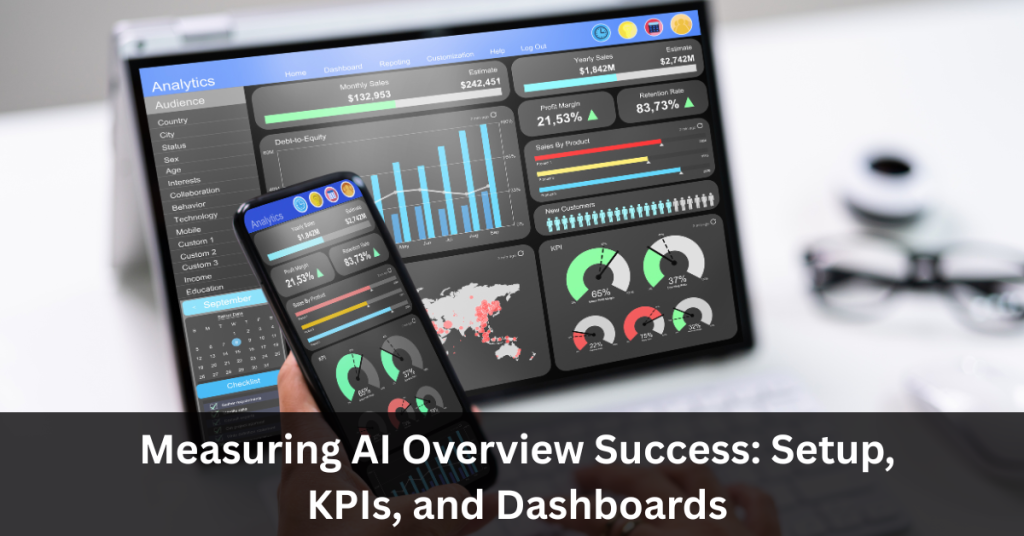
Google’s AI Overviews, along with platforms like ChatGPT, Perplexity, Gemini, and Copilot, are now a major way people discover brands and content, which means traditional “rankings and clicks” alone no longer tell the whole performance story. To understand whether AI Overviews are actually driving value, you need a measurement framework that blends AI visibility, on-site behavior, technical readiness, and brand perception into one coherent view. AI performance measurement is inherently multidimensional: business impact, technical performance, fairness, and user adoption all matter if you want to scale AI work with confidence. Leading practitioners stress that KPIs must be tied to clear business goals, tracked continuously, and refined over time as models, search interfaces, and user behavior evolve. Phoenix Premier Digital Marketing & Web Design can help you design this framework end-to-end—from defining AI Overview KPIs to building the dashboards your leadership team will actually use. For a tailored AI measurement plan, call (480) 442-9829 today. Start With Strategy, Not Screenshots Before diving into tools, decide what “AI Overview success” means for your organization in concrete terms. For some brands, the priority is net new demand from AI referrals; for others, it is protecting existing organic traffic as AI interfaces reshape SERPs. A practical first step is to define a small set of AI-specific objectives that ladder directly into existing business KPIs like revenue, lead volume, or customer retention. Research shows that AI KPIs are most effective when they blend technical indicators (accuracy, latency, bias) with business outcomes such as cost reduction, conversion lift, or satisfaction scores. That same principle applies to AI Overviews: you are not just chasing more citations, you are chasing profitable behavior down-funnel. For example, an e‑commerce brand might define success as “AI Overview visibility for top commercial queries plus higher engagement and conversion rates from AI referrals versus baseline organic search.” A B2B SaaS company might focus on “AI citations around high-intent problem queries, followed by demo requests and pipeline influenced by AI traffic.” Core Tracking Setup for AI Overviews Once the strategy is clear, the next step is to instrument your analytics and SEO stack so AI-related performance can be monitored consistently. Most teams will rely on a combination of GA4, Google Search Console, third-party SEO tools, and technical crawlers. In GA4, treat AI platforms as a distinct channel by tagging AI referrals and building dedicated reports around traffic volume, engagement, and conversions from those sources. Key GA4 metrics include active users from AI referrals, engaged sessions from AI referrals, AI engagement rate, and AI referral conversions and conversion rate. Comparing these side-by-side with other channels helps you understand whether AI traffic is incremental and high quality or just noise. Google Search Console remains critical for understanding how AI Overviews interact with traditional organic listings. Monitor impressions and click-through rates for queries and pages where AI Overviews appear so you can see whether those features are cannibalizing clicks or introducing discovery opportunities. Over time, this helps you determine which topics deserve AI-optimized content investments and which may need defensive updates to maintain visibility. Visibility Metrics: Citations, Queries, and Share of Voice For AI Overviews, pure rankings give way to visibility and citation metrics. Tools like Ahrefs and SEMrush now track AI citations across platforms such as AI Overviews, ChatGPT, Perplexity, Gemini, and Copilot, which effectively function as the new “backlinks” for generative interfaces. The core question is simple: how often is your content chosen as a source when AI systems answer questions in your market? Useful visibility KPIs include AI citations, competitor AI visibility, AI query keyword growth, audience (search volume tied to topics where your brand is cited), and presence in AI Overview SERP features. AI citations show how trusted your content is by different models, while competitor visibility reveals gaps where rival brands are dominating AI answers you care about. Tracking AI-style queries—long-tail, conversational, question-based terms—helps you tune content to the way users actually prompt AI, not just how they type into classic search boxes. Share of search style metrics, adapted for AI, are also emerging: they estimate what percentage of topical demand involves queries where your brand appears in AI responses compared with competitors. These are directional rather than precise, but still powerful for benchmarking and prioritization. Combined, visibility metrics tell you whether your AI Overview optimization is expanding reach, protecting your brand, or leaving opportunity on the table. On‑Site Performance: Making AI Traffic Pay Off Visibility is only one side of the equation; you also need to understand what happens after the click. GA4 is the best single source for analyzing the behavior and business impact of AI-referred sessions once users land on your site. Here, the focus shifts to engagement, conversion, and content quality for AI landing pages. Important AI Overview KPIs within GA4 include sessions from AI referrals, engaged sessions from AI referrals, AI engagement rate, AI referral conversions and conversion rate, bounce rate from AI referrals, AI landing page performance, and average engagement time from AI referrals. Comparing engagement and conversion metrics for AI traffic versus organic search, paid search, or social allows you to see whether AI referrals bring higher-intent visitors or just curious browsers. If bounce rates from AI referrals are significantly higher, it may indicate a mismatch between the AI summary and your page content, which can be resolved by tightening messaging, clarifying offers, or restructuring content for scannability. Conversely, strong engagement and conversion from a specific AI landing page can justify deeper content investment, CRO testing, and link-building to secure and enhance that position. Technical Readiness: Crawlability for AI Models Even the best content and KPIs fall flat if AI systems cannot reliably crawl and index your pages. Technical SEO tools like Screaming Frog now include features to evaluate AI model crawl success, especially for user agents associated with platforms such as Google-Extended and ChatGPT-User. A core metric here is the AI model crawl success rate, which shows what percentage of your pages AI crawlers can access without errors or blocking. Low crawl success
Local AI Overviews: GBP, Reviews, and Schema That Move the Needle
Google is quietly reshaping how local customers find and evaluate businesses with one powerful feature: AI Overviews. Instead of just showing a list of links and map pins, Google now uses artificial intelligence to summarize the “best options” for a search — and that includes local service providers, restaurants, contractors, and more. If you are relying on an outdated website or a half-completed Google Business Profile, you risk being left out of these AI-generated recommendations. The good news: with smart optimization of your GBP, reviews, and website schema, your business can actually benefit from AI Overviews and capture more high-intent leads locally. This guide breaks down the three levers that move the needle for local AI Overviews — and how Phoenix Premier Digital Marketing & Web Design can help you implement them. What are Local AI Overviews? Google’s AI Overviews are AI-generated summaries that sit above or among traditional organic results, pulling entities, facts, and recommendations from across the web. For local intent queries, these summaries frequently surface a short list of businesses, along with synthesized commentary on services, pricing cues, and reputation signals. AI Overviews lean heavily on structured, trusted sources like your Google Business Profile (GBP), authoritative local pages, and review content to assemble those recommendations. Early analyses suggest AI Overviews can reduce click-through rate by around 30% on average, but the traffic that does come through is typically more qualified and closer to conversion. Why GBP is Your Primary Data Feed Google’s local AI systems treat your GBP as the canonical database of record for NAP, categories, hours, and core service information. Incomplete or inconsistent NAP details across GBP and the web can confuse algorithms and cause your listing to be deprioritized in AI-driven local results. A fully verified, complete profile—with correct hours, primary and secondary categories, service areas, and attributes—has a far higher chance of being referenced in AI Overviews. High-quality photos and short videos help AI associate your brand with real-world context, improving user engagement metrics that feed back into local ranking systems. Regular GBP posts (offers, updates, events) and active Q&A sections provide fresh, structured copy blocks that AI can quote directly inside summaries. Consistent activity—posting weekly, updating attributes, and answering Q&A—acts as a recency and reliability signal for AI systems evaluating local entities. Monitoring GBP Insights for search terms, views, calls, and directions helps you see whether AI-driven visibility is growing or stagnating over time. Reviews: Training Data for Local AI Reviews are no longer just a star rating; the text itself is training data that describes what you actually do, for whom, and how well you do it. AI Overviews often echo review language—service quality, responsiveness, pricing sentiment, and neighborhood references—when summarizing why a business is recommended. A healthy review profile usually combines volume, velocity, and variety, with a steady flow of new reviews that mention specific services and locations. Encouraging customers to naturally mention service types and city or neighborhood names helps AI connect your brand to local intent queries like “best [service] near me.” Responding to every review, especially negative ones, signals engagement and trustworthiness to users and to Google’s systems. Tools that automate review requests and reminders can help you systematically grow review volume while maintaining compliance and authenticity. Review and AggregateRating structured data on local landing pages further reinforces rating signals for AI systems that read both page content and markup. Schema: Speaking AI’s Native Language Structured data is a foundational layer for AI search because it gives machines a clean, machine-readable graph of who you are, what you offer, and where you operate. For local businesses, the core building blocks are the Organization or LocalBusiness schema, which define your entity, address, contact, and service area. LocalBusiness schema can include properties like address, geo coordinates, openingHours, areaServed, and sameAs, all of which help AI tie your entity to specific local intents. Service or Product schema can be layered on service pages to describe what you sell, including names, descriptions, pricing info, and service areas where applicable. Review and AggregateRating schema, when used on pages that show visible reviews, help AI understand sentiment and typical customer experience at a glance. The FAQPage schema on local pages and service hubs gives AI pre-formatted question–answer pairs that can be pulled into AI Overviews and voice assistant answers. Best practices include only marking up content that users can see, keeping schema consistent with on-page text and GBP data, and validating via Rich Results tests. GBP + Reviews + Schema: How They Interact in AI Overviews When AI assembles a local Overview, it cross-references GBP data, on-page content, and schema to check that your entity is real, active, and relevant. Complete GBP data confirms your NAP, categories, hours, and photos, forming the baseline entity profile for local intent queries. Review content adds qualitative nuance—what people like, what services stand out, and how they describe their experience in natural language. Schema markup wraps your local pages in a structured context, making it easier for AI to match your offerings and service areas to specific conversational queries. If all three layers—GBP, reviews, and schema—tell the same story, AI systems gain confidence and are more likely to highlight your business in Overviews. Inconsistencies, such as mismatched addresses or services advertised on-page but missing from GBP, can cause AI to skip your listing in favor of clearer competitors. A Practical Local AI Overview Playbook Start with an audit: verify NAP consistency across GBP, website, and key citations, then ensure categories and service areas match your real-world operations. Optimize GBP content by adding detailed service descriptions, robust product or service listings, and high-quality photos that mirror what appears on your main local pages. Build out localized content hubs on your site, with individual pages for core services and key locations, each answering common questions in clear, conversational copy. Implement LocalBusiness schema on all primary location pages, then layer Service or Product schema as appropriate to describe your core offerings. Add Review, AggregateRating, and FAQPage schema wherever you